

Hazard Communication
Part One: 25 Minutes; Part Two: 25 Minutes
COURSE DESCRIPTION
This two-part course on Hazard Communication reviews the basic requirements of the 29 CFR 1910.1200 Hazard Communication Standard. This Occupational Safety and Health Administration, or OSHA, Standard is an overview of how the system of chemical hazard information and communication works. This course will include the alignment with the Globally Harmonized System of Classification and Labeling of Chemicals, commonly referred to as the GHS, Revision 7. We will review information based on the OSHA regulation as it relates to hazard awareness and communication, hazard classification, Safety Data Sheets, and labeling requirements of hazardous materials within the workplace.
Part One – This training course is an overview of the Hazard Communication Standard, basic health and physical hazards of chemical, and protective measures fundamental to your personal protection. In addition, the labeling techniques to communicate hazards will be reviewed. This presentation will increase your knowledge of chemical hazards, hazard classification, and the basic personal protection methods to ensure safe handling and usage of chemicals.
Part Two – This training course is a continuation of Hazard Communication Part 1. This presentation will review the updated Safety Data Sheets that are required as part of the Hazard Communication Standard. The safety data sheet, or SDS, is the backbone of the Hazard Communication Standard. This course will help employers and employees understand their responsibility to take the time to properly understand the hazards and appropriate precautions when using, handling, or working around the chemicals in your facility.
COURSE OUTLINE
Part One:
- Introduction
- What is Hazard Communication?
- Training Objectives
- Hazard Communication Program – How it Works
- Hazard Classification
- Hazards – A Closer Look
- Health Hazards
- Physical Hazards
- What Determines the Fire Hazard of a Liquid?
- Corrosive Substances
- Labeling
- Summary
Part Two:
- Introduction
- Safety Data Sheets
- SDS Section 1: Identification
- SDS Section 2: Hazard Identification
- SDS Section 3: Composition/Information on Ingredients
- SDS Section 4: First Aid Measures
- SDS Section 5: Fire-Fighting Measures
- SDS Section 6: Accidental Release Measures
- SDS Section 7: Handling and Storage
- SDS Section 8: Exposure Controls/Personal Protection
- Occupational Exposure Limits
- Personal Protective Equipment
- SDS Section 9: Physical and Chemical Properties
- SDS Section 10: Stability and Reactivity
- SDS Section 11: Toxicological Information
- General Concepts of Toxicology
- SDS Sections 12 – 15: Non-Mandatory Information
- SDS Sections 16 : Other Information
- SDS Access
- Summary
LEARN HOW OUR COURSE LIBRARY CAN FIT INTO YOUR WORKPLACE
Related Courses
More Courses You May Be Interested In
Our goal is to develop general awareness courses that create an interesting and interactive learning experience. Each course uses images, video, text and audio for full comprehension. All of our courses are designed by professionals with the ultimate goal of helping employees develop the knowledge they need to work safely.
 Biosafety Laboratory Awareness
This training has been developed to review biosafety levels (BSL), which is used to show the level of biocontainment precautions required to isolate dangerous biological agents in an enclosed laboratory...
Learn More → Asbestos Awareness Training
This training will review the OSHA and EPA regulations as they relate to the awareness and management of asbestos in the workplace. This course covers the general awareness level training...
Learn More → Personal Protective Equipment
The proper use of PPE is essential in the workplace to minimize the risk of injury and illness. The number of injuries in the workplace that could have been prevented...
Learn More → Radiation Safety
This course is designed to provide fundamental radiological awareness for employees who may use or interact with equipment or materials that may emit radiation within your facility or work area....
Learn More →Solutions
What Solutions Do We Offer?
The eSafety platform delivers scalable safety training solutions for organizations of any size. Built by experts in safety and regulatory compliance, our powerful Learning Management System (LMS), comprehensive training content library, and Contractor Management System (CMS) tools make it easy to meet compliance requirements. With intuitive features designed for efficiency, eSafety helps keep everyone informed, compliant, and safe.
TRAINING
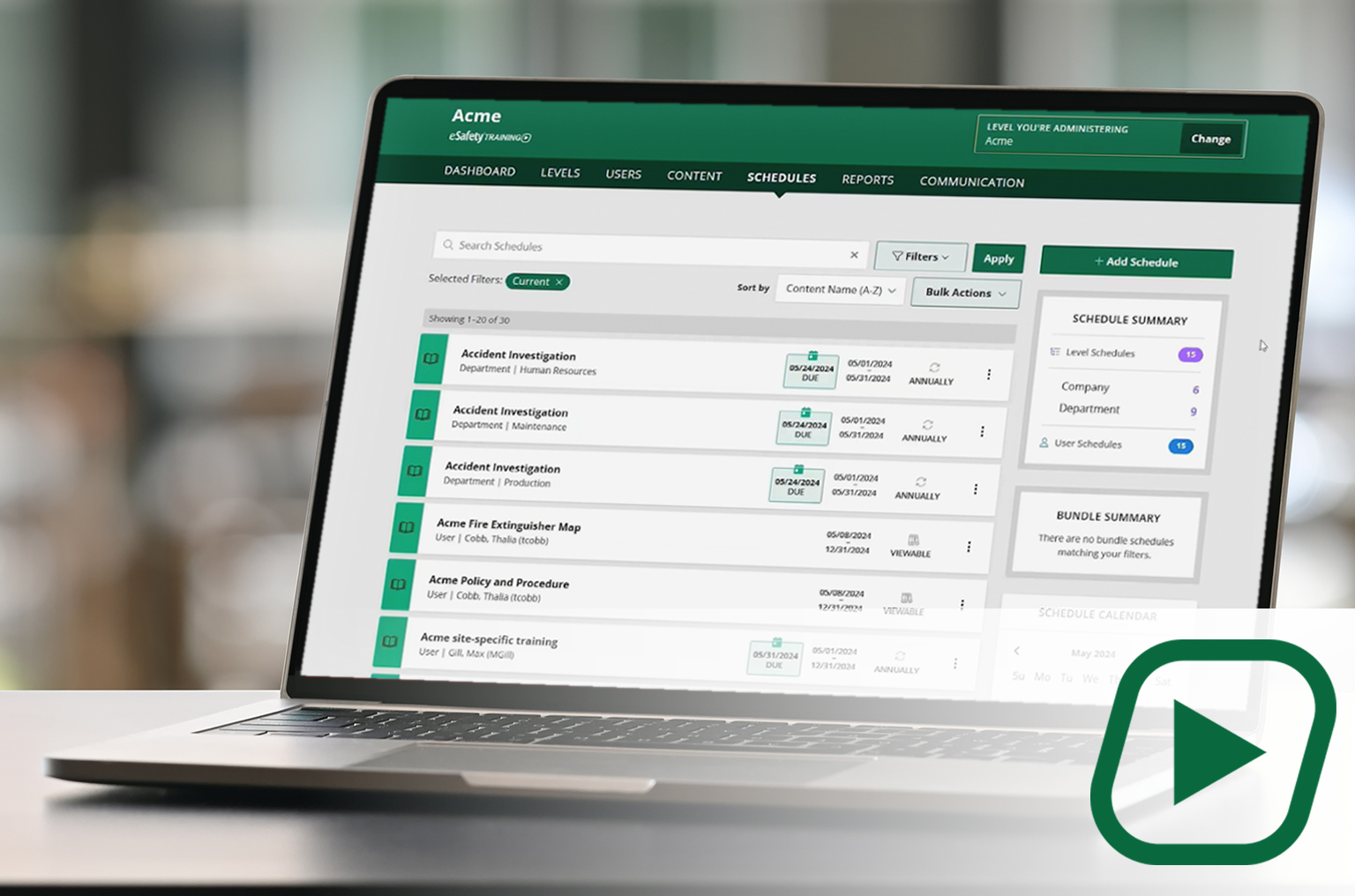
Our cornerstone learning management system (LMS) delivers a full library of compliant training content with intuitive features and capabilities to assign, track, and report on employee training.
✓Full content library
✓Schedule and manage training
✓Generate reports
CONTENT
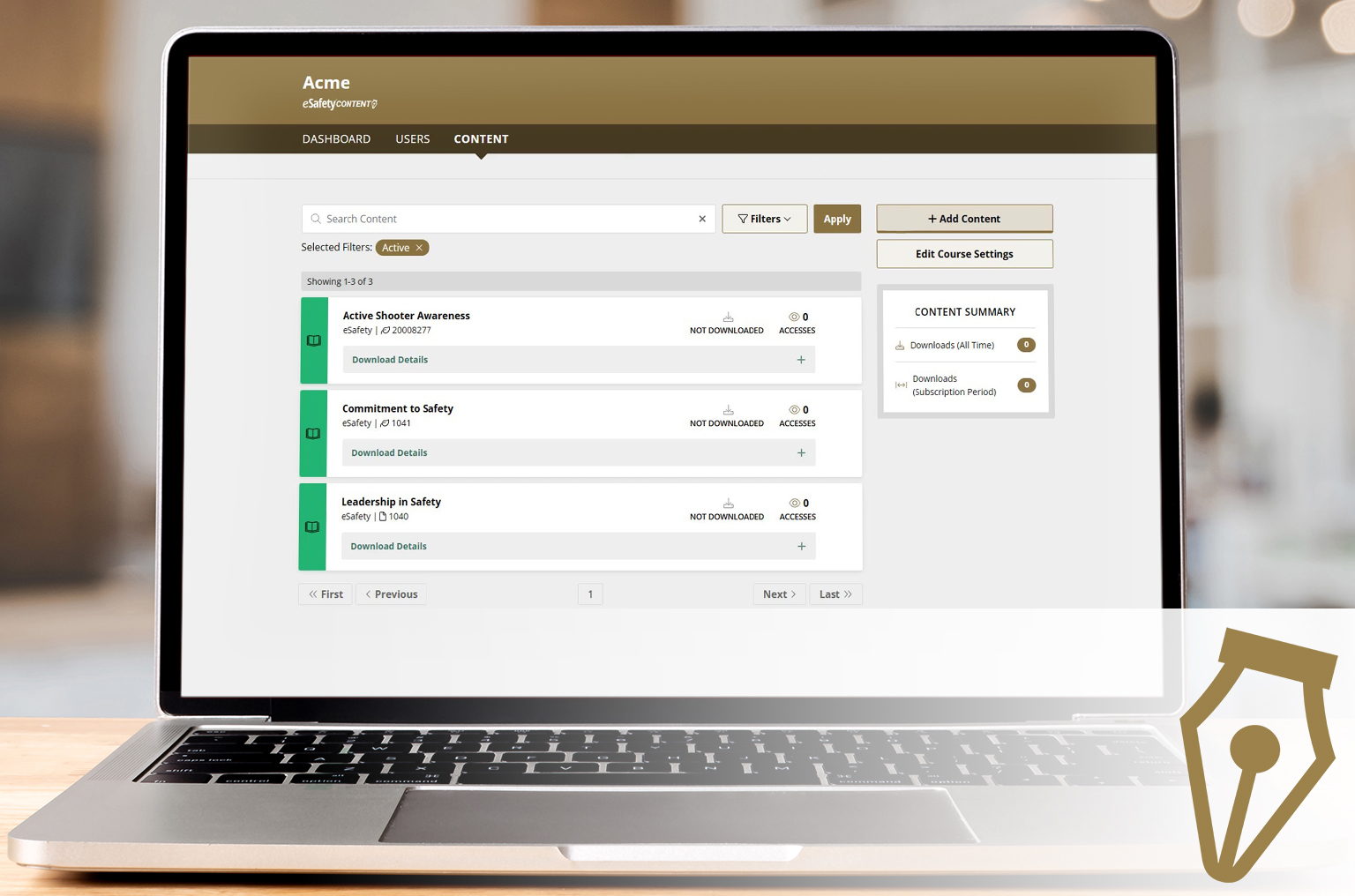
A portal to select and download our content (courses) to be added to another LMS. A client gets a SCORM file to upload into the LMS they use. With an active key, course updates are automatic.
✓Select your course package
✓Download ready-made courses
✓ Receive automatic updates